
Nowadays, thanks to content distribution platforms, artists can reach a massive audience. That’s why in this article we’ll talk about how to upload an audiobook to Spotify. We’ll also briefly discuss how to create an audiobook and how much Spotify pays authors.
There are two ways to publish audiobooks on Spotify. The platform has a service for publishers that’s only available in some English-speaking countries, such as the United States, the United Kingdom, and New Zealand. However, it’s also possible to upload an audiobook to Spotify as if it were a podcast.
In this second case, Spotify pays artists based on the number of streams and the royalty pool it receives for subscriptions and ads. This varies according to the country and Spotify’s streamshare, which is used to calculate royalties based on the proportion of total streams an artist has across the platform in a given country.
Generally, artists receive between 0.003 and 0.005 cents of a dollar for each reproduction. This means that, to make 5 dollars, you need about 1,000 reproductions. While not a very lucrative business, uploading an audiobook to Spotify is free and can be used to promote your book and reach a wider audience.
How to create an audiobook for free?
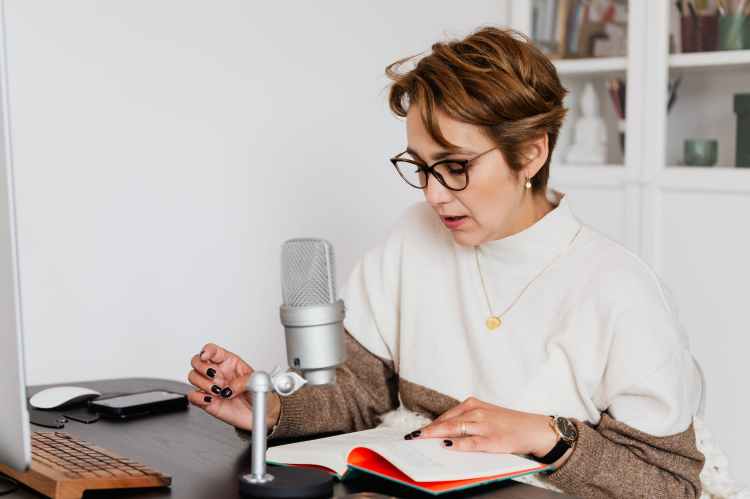
Before uploading an audiobook to Spotify, you need to create it. For this, you’ll take your book, which has already been written, edited and proofread, and you will transform it to its audio version. There are several alternatives to do this.
- The first one is hiring an integral audiobook production service: it’s a complete service that covers the different instances of the audiobook recording and publishing process, including hiring a professional recording studio.
- The second alternative is hiring a professional narrator and carrying out the recording and the publishing processes yourself.
- Finally, if you don’t want to pay for any production services, it’s possible to create an audiobook on your own and to record it yourself.
Of course, each of these alternatives will give you results of different quality.
To create an audiobook without spending money, you must take into account the following elements that are involved in the recording:
- Voiceover. You have to practice reading aloud fluently so that the story grabs the listener, using pauses and silences to change chapters or scenarios. It’s necessary to practice modulation, cadences, and variations in tones to characterize each character.
- Music and sound effects. Although these elements are not completely necessary in an audiobook, they can add nuances and help imagine scenarios, situations, and other storytelling elements.
- Recording equipment. A flat response microphone with sufficient sensitivity is needed to capture intonation and interpretation nuances. Good headphones are also needed to listen to the shots and identify background noise.
- Editing. Once the recording is finished and you are satisfied with the result, you can move on to the editing stage. For this, you can use any of the audio editing programs available on the web to work on equalization levels, remove silences and noises, and edit pauses.
- Format. Before finally uploading the audiobook, you have to select the format. This is important because some formats lose more quality than others. These are some formats listed from worst to best quality: MP3, M4A, WAV, AIFF, FLAC, ALAC.
How to upload an audiobook to Spotify?

Let’s now get to the heart of the matter: uploading an audiobook to Spotify. First, you need to know that Spotify doesn’t store content on its own server. The platform retransmits and provides access to other hosting sites where music, podcasts and audiobook files are hosted.
Therefore, to upload our audiobook to Spotify, you first need to upload it to a hosting site where you will store the file. There are two groups of hosting sites:
Free ones:
- Spotify for Podcasters (formerly known as Anchor)
- Buzzsprout
- Podbean
- Spreaker
- SoundCloud
Payed ones:
- Libsyn
- Blubrry
- RSS.com
- Transistor
- Simplecast
Since it belongs to Spotify, the obvious choice is Spotify for Podcasters. Like many others, this platform has an intuitive registration and publishing process, which you’ll find more or less complex depending on how much you know about these platforms. For example, if you know how to upload a podcast to Spotify, it’ll come in handy, especially if you choose to upload your audiobook on your own as a podcast.
Once your file has been uploaded to some of these platforms, it will appear among the best Spotify audiobooks in English, but also in the rest of the platforms with which Spotify works. In case you want to create a free audiobook, the platform has its own editing and recording tools that are very convenient.
Conclusion
The top 10 audiobooks ranking on Spotify is dominated by the most famous Spanish-language books from well-known publishers. However, uploading an audiobook to this platform is a great way to promote our work independently and for free (and, if we’re lucky, also make a profit).
If all of this is too complex and tedious or if you just don’t have enough time, you can contact us at Palabra and we’ll handle the production process of your audiobook: from hiring a professional narrator to editing and uploading the file to Spotify.
 Palabra